
Key Takeaways
- → A follow-up can add relevant context, but results depend on the audience, offer, and message.
- → Use a sequence only when each touch has a relevant reason to contact the person, and stop after a reply or opt-out.
- → A final message can close the loop; no sequence position guarantees a higher reply rate.
- → The sequence below is an example, not an established optimum. Adapt timing to relevance and stop after a reply, opt-out, or loss of a valid reason to contact.
There is no universal sequence length or touch that consistently outperforms the first message. Treat the examples below as starting points to adapt and measure for the intended audience.
A useful follow-up should add context or make it easy to decline. Stop when a person replies, opts out, or the reason for contacting them no longer applies.
The Psychology of Follow-Up: Why They Don't Reply to Email 1
Silence is ambiguous: a person may be busy, uninterested, or may not have seen the message. Do not treat non-response as consent or confirmed interest.
Keep each message relevant and give recipients a clear, simple way to decline further contact.
A later message can add a new reason to consider the offer, if that information is genuinely relevant:
- Context. A documented change may make the offer more relevant. Confirm that the signal is current before referencing it.
- New information. Add a useful detail or a different angle rather than repeating the same pitch.
- Relevant evidence. Use a case example only when its client, channel, and scope are clear and applicable.
A closing message can politely end the sequence and explain that you will stop following up.
One caveat: none of this works if the emails never reach the inbox.
Open-rate data can be incomplete or affected by email-client behavior. If replies or delivery change, review both the message and sending diagnostics. See the deliverability troubleshooting guide.
A Five-Message Example Sequence
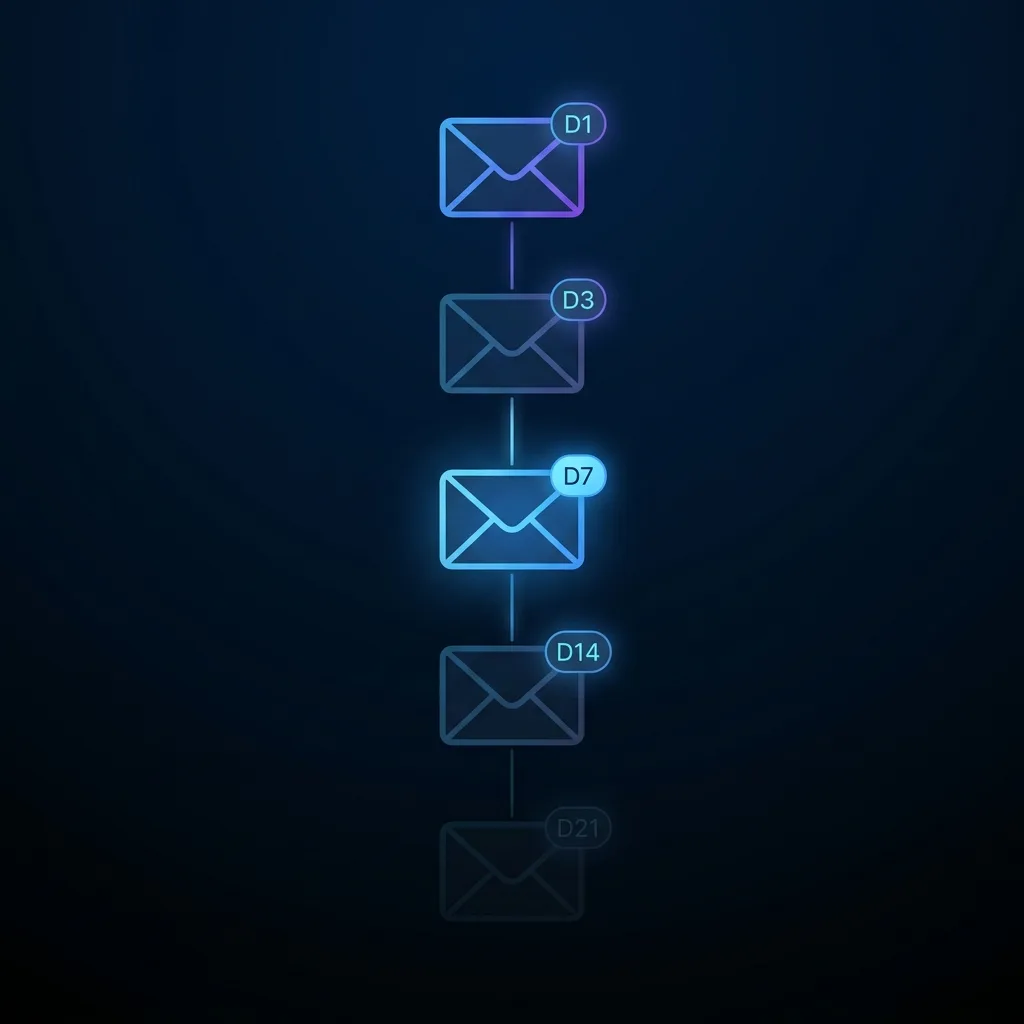
Illustrative sequence structure; adjust the messages and timing to relevance and recipient responses.
This sample uses five touches over an illustrative period. Change the cadence to fit the context and stop after a reply or opt-out.
Every email earns its place by adding something the last one didn't. Here's the structure:
| Touch | Day | Job | Core mechanic |
|---|---|---|---|
| Email 1 | Day 1 | Cold pitch | Value-first, one specific claim, low-friction ask |
| Email 2 | Day 3 | New angle | Different framing or new piece of information |
| Email 3 | Day 7 | Social proof bump | Specific case study result relevant to their role |
| Email 4 | Day 14 | Direct ask | "Is this a no?" - removes pressure, invites a binary answer |
| Email 5 | Day 21 | Breakup | Explicitly close the loop and stop following up |
The sample replies in the same thread. Adapt the format to your email system and recipient context.
They don't have to remember who you are or re-read your pitch.
Templates for Each Touch
These are adaptable examples, not validated performance templates. Confirm every claim, tailor the message to the recipient, and use the length needed to communicate clearly.
One idea per email. Never use "just checking in."
Email 1: Value-First Cold Pitch (Day 1)
One specific result. Low-friction ask (20 minutes, not "a demo").
Email 2: New Angle / New Information (Day 3)
The message raises several possible delivery factors without claiming one explains every campaign.
Email 3: Social Proof Bump (Day 7)
Specific, sourced figures let a reader evaluate the scope of a named example; they do not predict another campaign’s results.
Email 4: Direct Ask - "Is This a No?" (Day 14)
A direct ask gives the recipient an easy way to clarify interest or decline.
Email 5: Breakup Email (Day 21)
A close-the-loop message communicates that outreach will stop; no sequence position is known to consistently generate the most replies.
What Our Sequences Look Like in Practice
The Architrainer campaign shows the follow-up layer at work. Architrainer sells BIM and systems-coordination services into the Israeli architecture market: small, technical and slow to adopt.
We defined the ICP and project scope, then ran multi-step sequences with a follow-up plan shared with Architrainer’s team, including in-person follow-up. See the Architrainer case study.
The case reports an 81% open rate across 124 sequences, 19 opportunities, and 8 deals closed or in process. These are campaign-specific figures, not expected results for other programs.
The case reports a campaign outcome; it does not establish which element caused the result.
Practical sequence principles:
Keep one main point per message so the reader can understand the reason for the follow-up.
Add relevant information or a useful angle when available; do not invent new claims to fill a cadence.
As an internal style choice, we often keep these messages brief. There is no universal word limit for follow-up emails.
Content does not determine delivery on its own. Review authentication, provider rules, recipient feedback, and list quality alongside the sequence.
The Timing and Volume Rules
The table below gives one example of how a team might organize a sequence. Adapt it to the audience, provider requirements, and applicable rules.
| Rule | Detail |
|---|---|
| Send days | Choose send days based on audience and campaign data; this article does not establish a best weekday. |
| Send time | Local-time scheduling may be useful. Compare results for your audience rather than treating a time window as universal. |
| Minimum gap between touches | Use a relevant interval that gives the recipient time to respond; the sample schedule is not a requirement. |
| Example sequence length | The example contains five messages. Set a stopping rule based on relevance, replies, opt-outs, and applicable policy. |
| Pause on replies and opt-outs | Prioritize replies and explicit engagement signals. Open tracking can be inaccurate and should not be treated as proof of interest. |
| Daily send volume per inbox | Follow the mailbox provider’s current requirements; this article does not set a safe per-inbox volume. |
The examples use five touches. Choose sequence length based on audience, relevance, and results; there is no universal minimum or maximum.
Automating the Sequence
Manual tracking can become difficult as a team’s volume and workflow grow; the effort depends on the process and tooling.
A sequencing platform may help a team manage workflows; product features and appropriate use vary. Examples of sequencing products we configure for some clients include:
Features vary by provider and plan. Check current vendor documentation for sending, scheduling, reply detection, and pause behavior.
Use campaign reports as observations; they do not establish a universal best-performing touch.
The harder problem is configuration, not the tool: deliverability, sequence logic, ICP targeting, copy, and ongoing A/B tests.
The operational process should be reviewed alongside tool choice.
Want to run it yourself? The templates above are a working start.
Want it built and operated, with infrastructure and ongoing iteration included? That is what Deep-Y does.
Want this built and running for your pipeline?
We design, build and run cold email outreach systems, including the sequences, infrastructure and deliverability setup in this article.